
Skip to content
View in the app

A better way to browse. Learn more.

BenLotus

A full-screen app on your home screen with push notifications, badges and more.

To install this app on iOS and iPadOS
  1. Tap the Share icon in Safari
  2. Scroll the menu and tap Add to Home Screen.
  3. Tap Add in the top-right corner.
To install this app on Android
  1. Tap the 3-dot menu (⋮) in the top-right corner of the browser.
  2. Tap Add to Home screen or Install app.
  3. Confirm by tapping Install.

PIKAPIKA

BenLotus Member
  • Joined

  • Last visited

  1. PIKAPIKA started following Sagarmatha
  2. Thanks po
  3. Thank you sir. Keep sharing lng po ?
  4. Thanks sir for sharing !
  5. More power po master @JiroDavid ? Benlotus lang malakas!
  6. PIKAPIKA started following L-Kira
  7. tobi009 started following PIKAPIKA
  8. PIKAPIKA started following sky
  9. Sana nga magkaron
  10. paview namn sir thanks
  11. PIKAPIKA changed their profile photo
  12. PIKAPIKA started following Regina
  13. PIKAPIKA started following Harold
  14. PIKAPIKA started following KING
  15. PIKAPIKA started following pR1s0n3r
  16. ay oo nga talo pala mali intindi ko sa gameplay my bad ???
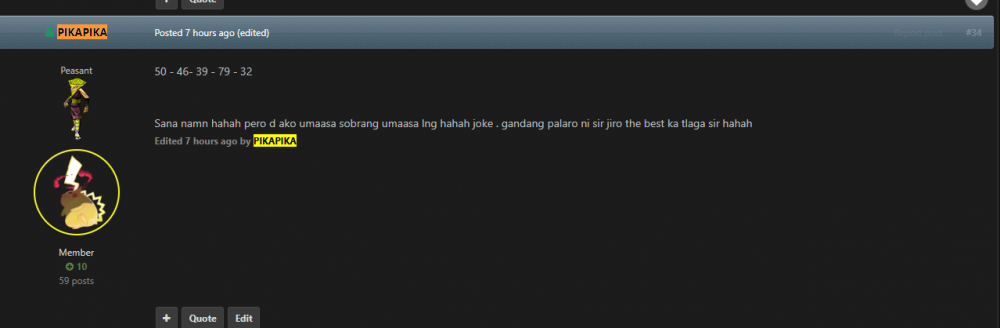
  17. NAKAISA KO YES ! Tama po ba sana 39 po yung isang number ko.
  18. PIKAPIKA started following Cosmic
  19. PIKAPIKA started following Jmrie_
  20. Pag gigitara kahit d namn ako magaling

Account

Navigation

Search

Search

Configure browser push notifications

Chrome (Android)
  1. Tap the lock icon next to the address bar.
  2. Tap Permissions → Notifications.
  3. Adjust your preference.
Chrome (Desktop)
  1. Click the padlock icon in the address bar.
  2. Select Site settings.
  3. Find Notifications and adjust your preference.