Skip to content
View in the app

A better way to browse. Learn more.

BenLotus

A full-screen app on your home screen with push notifications, badges and more.

To install this app on iOS and iPadOS
  1. Tap the Share icon in Safari
  2. Scroll the menu and tap Add to Home Screen.
  3. Tap Add in the top-right corner.
To install this app on Android
  1. Tap the 3-dot menu (⋮) in the top-right corner of the browser.
  2. Tap Add to Home screen or Install app.
  3. Confirm by tapping Install.

olivia

Special Member
  • Joined

  • Last visited

Everything posted by olivia

  1. pa try ako kung may working pa hindi na po working ung link hehe
  2. Hi Sir, if I have existing gmail account, can you make it to have youtube premium? Thank you
  3. meron palang ganito Thank you po!
  4. Sir parang hindi na din po cya working
  5. pa try ako sir Thank you!
  6. Thank you po! pa try ako
  7. tanong ko lang, bakit hindi nalnag derecho youtube link ang ipost? hehe
  8. niceee iba talaga dito ahahaha Thank you po!
  9. nicee. pero pano after 15 days? balik zero ung data?
  10. yeah for me its safe man
  11. nag email na sayo si netflix?
  12. May nagbabalik Thank you po Sir Jiro! 5-12-29-36-79
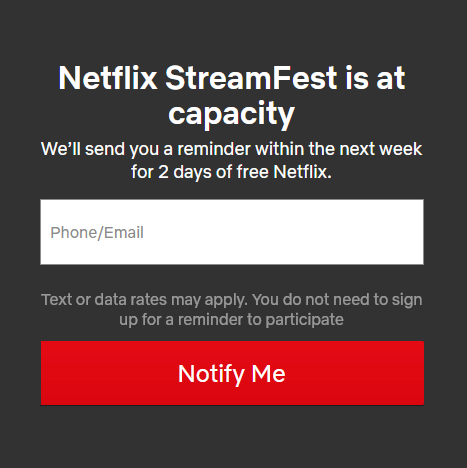
  13. nilagay ko na email nyo since full capacity na ung streamfest. pa wait nalang sa email if pwede na kayo mag register then comment lang ulit kayo if ever Thank you @K4anubhav for assistance. greatly appreciated!
  14. hanggang dito muna guys. may technical issue tayo hahahaha sry sry
  15. yeah i think Philippines is 2.5 hrs ahead of India. So i think i can register emails in the morning already lol. but no member has dropped their email. I think everyone got VPN accounts since its free here in the forum
  16. ohh. That's nice! how does the free netflix work sir? do i only need to connect to india VPN then register my email on netflix?
  17. nice! first 30 lang hahahah sana makaabot thank you po! advance merry christmas!
  18. welcome ! enjoy yourself in the forum my friend
  19. olivia replied to sgbarnz's topic in Smart Internet
    pasilip muna. Thankss hindi ko ba inabutan o ung apk talaga ung laman nung link?
  20. welcome mah friend!
  21. sali ka sa games

Account

Navigation

Search

Search

Configure browser push notifications

Chrome (Android)
  1. Tap the lock icon next to the address bar.
  2. Tap Permissions → Notifications.
  3. Adjust your preference.
Chrome (Desktop)
  1. Click the padlock icon in the address bar.
  2. Select Site settings.
  3. Find Notifications and adjust your preference.