


greizz08
Special Member
-
Joined
-
Last visited
Everything posted by greizz08
-
try

-
Bees can fly higher than Mount Everest Bees can fly higher than 29,525 feet above sea level, according to National Geographic. That’s higher than Mount Everest, the tallest mountain in the world.

-
kung sana matalino din ako hahahaha
-
The first oranges weren’t orange The original oranges from Southeast Asia were a tangerine-pomelo hybrid, and they were actually green. In fact, oranges in warmer regions, such as Vietnam and Thailand, still stay green through maturity.

-
Lemons float, but limes sink Because limes are denser than lemons, they drop to the bottom of a glass, while lemons float at the top. Out of all these random fun facts, this one’s been in front of our faces (or rather, in our glasses) this whole time!

-
08 - 05 - 25 - 27 - 31lemme try this. thankstry hehe
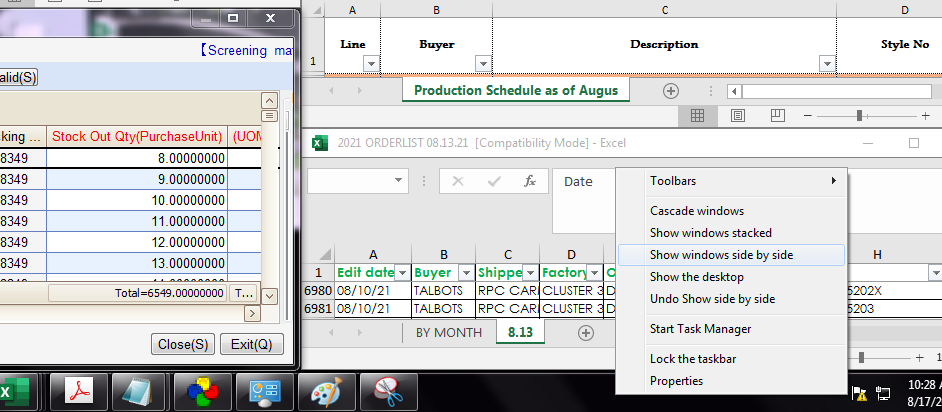
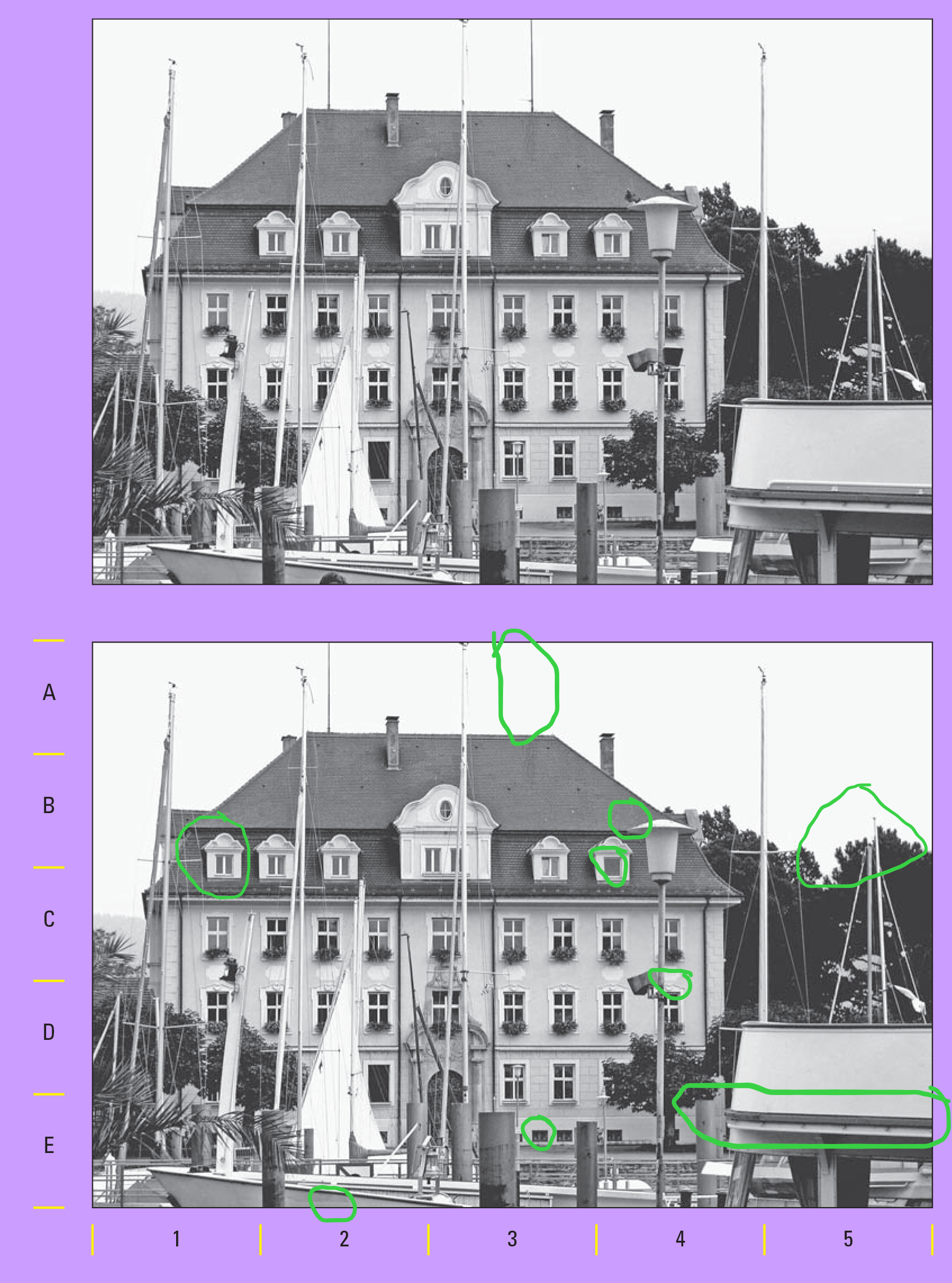
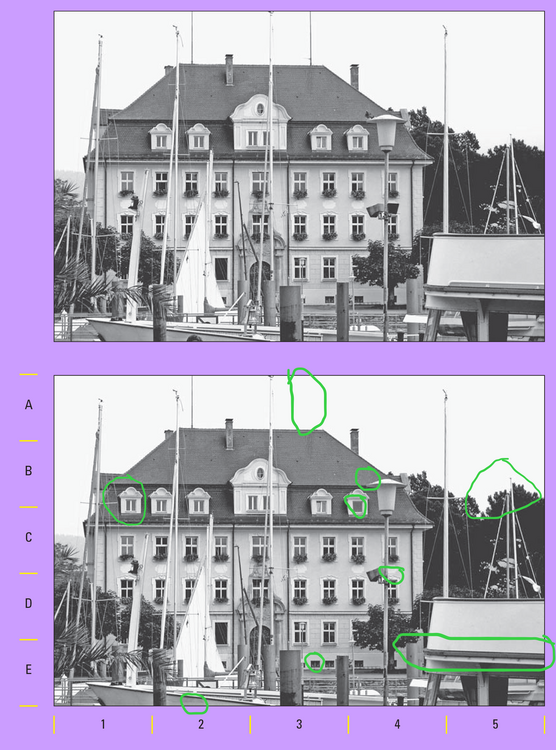 25 08 27 31 28can you explain? pano po naging ganun ang sagot..very need this.. hope this will work on me. Thanksmga lods,, paturo po pano mabilis magpataas ng PS ??lods ... share lang den pede din po right click sa task bar then select your preferred view . make sure active po ang mga windows
 thanks for sharingmga idol ... palitan tayo ng referral : ) earn po tayo pare pareho .. qpSyUkd


Account
Navigation
Search
Configure browser push notifications
Chrome (Android)
- Tap the lock icon next to the address bar.
- Tap Permissions → Notifications.
- Adjust your preference.
Chrome (Desktop)
- Click the padlock icon in the address bar.
- Select Site settings.
- Find Notifications and adjust your preference.
Safari (iOS 16.4+)
- Ensure the site is installed via Add to Home Screen.
- Open Settings App → Notifications.
- Find your app name and adjust your preference.
Safari (macOS)
- Go to Safari → Preferences.
- Click the Websites tab.
- Select Notifications in the sidebar.
- Find this website and adjust your preference.
Edge (Android)
- Tap the lock icon next to the address bar.
- Tap Permissions.
- Find Notifications and adjust your preference.
Edge (Desktop)
- Click the padlock icon in the address bar.
- Click Permissions for this site.
- Find Notifications and adjust your preference.
Firefox (Android)
- Go to Settings → Site permissions.
- Tap Notifications.
- Find this site in the list and adjust your preference.
Firefox (Desktop)
- Open Firefox Settings.
- Search for Notifications.
- Find this site in the list and adjust your preference.