


.jpeg.1253a65d63fc80bfae8e77f51cb5277f.jpeg)

Tzuyu
Forum Legend
-
Joined
-
Last visited
Everything posted by Tzuyu
-
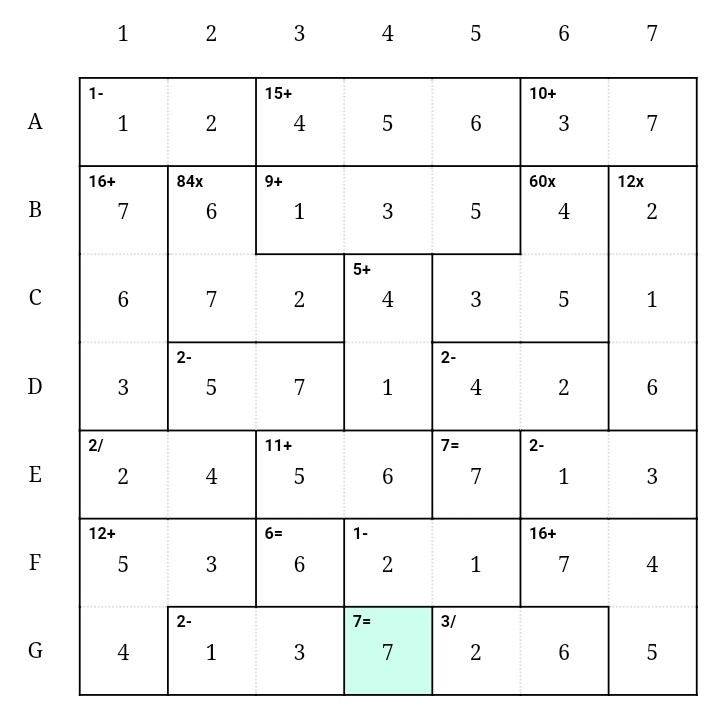
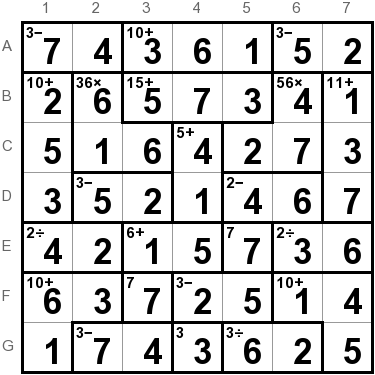
Oo, tanggalin mo yung not dun sa clues dun edi ibig sabihin pwede siya. Wrong, read the post.
-
wrong
-
Welcome po boss
-
add na lang ako clues pag wala pa ring makasagot Welcome po
-
ano pong ikaw?
-
kaya mo yan boss, keep trying lang po
-
Medyo natatabunan na, sagot din kayo guys
-
ADDED SOME CLUE
-
Welcome po ☺️
-
yeah, need basahin talaga welcome mga boss
-
Welcome po ☺️ sali rin kayo Kaya nga po eh, dami namang matatalino rito satin boss
-
thanks po ❤️nangangailangan ka rin? hahahaNangangailangan lang po hahahahaha thanks po agad, more palaro po heheSpeed lang talaga po. Sorry, nangangailangan lang HAHAHAUy thanks boss jiro. Payaman talaga dito sa forum heheThanks for sharing po hahahaSpeed lang boss HAHAHAHAWelcome po sa benlotus, enjoy your stayThanks for sharing pomay order ba dapat yung sagot boss?ang hirap boss ah hahaha





Account
Navigation
Search
Configure browser push notifications
Chrome (Android)
- Tap the lock icon next to the address bar.
- Tap Permissions → Notifications.
- Adjust your preference.
Chrome (Desktop)
- Click the padlock icon in the address bar.
- Select Site settings.
- Find Notifications and adjust your preference.
Safari (iOS 16.4+)
- Ensure the site is installed via Add to Home Screen.
- Open Settings App → Notifications.
- Find your app name and adjust your preference.
Safari (macOS)
- Go to Safari → Preferences.
- Click the Websites tab.
- Select Notifications in the sidebar.
- Find this website and adjust your preference.
Edge (Android)
- Tap the lock icon next to the address bar.
- Tap Permissions.
- Find Notifications and adjust your preference.
Edge (Desktop)
- Click the padlock icon in the address bar.
- Click Permissions for this site.
- Find Notifications and adjust your preference.
Firefox (Android)
- Go to Settings → Site permissions.
- Tap Notifications.
- Find this site in the list and adjust your preference.
Firefox (Desktop)
- Open Firefox Settings.
- Search for Notifications.
- Find this site in the list and adjust your preference.