
majorbaluga
Elite Member
-
Joined
-
Last visited
Everything posted by majorbaluga
-
-
wala kaming abs cbn since 2010.. nakaka entertain lang manood ng mga hinaing ng mga artista saka ang banat ng mga kalaban
-
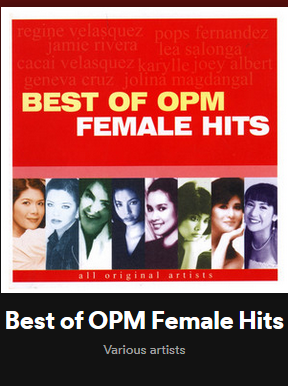
aba paborito ko ang mga lumang tugtugin !!
-
python !! salamat
-
thankyou! try ko din..
-
wow! pwede pala yun!Hello and Welcome sa BenLotus !!wow! ganun lang pala yung trick doon.. kailangan una ang small letter... mautak talaga ang mga pinoy !!thank you!!aba may mga clue na paticorrect !!. pag nakikita pa sya sa Disk Management may pag asa pa yan. possible kasi na yung format nya ay hindi ma-recognize ng windows. one time naka encounter na ako ng ganyan. yung format naging RAW kaya hindi makita ng Windows Explorer pero nakikita sa Disk Management. ni format ko lang ulit.. either FAT32 or NTFS..
Account
Navigation
Search
Configure browser push notifications
Chrome (Android)
- Tap the lock icon next to the address bar.
- Tap Permissions → Notifications.
- Adjust your preference.
Chrome (Desktop)
- Click the padlock icon in the address bar.
- Select Site settings.
- Find Notifications and adjust your preference.
Safari (iOS 16.4+)
- Ensure the site is installed via Add to Home Screen.
- Open Settings App → Notifications.
- Find your app name and adjust your preference.
Safari (macOS)
- Go to Safari → Preferences.
- Click the Websites tab.
- Select Notifications in the sidebar.
- Find this website and adjust your preference.
Edge (Android)
- Tap the lock icon next to the address bar.
- Tap Permissions.
- Find Notifications and adjust your preference.
Edge (Desktop)
- Click the padlock icon in the address bar.
- Click Permissions for this site.
- Find Notifications and adjust your preference.
Firefox (Android)
- Go to Settings → Site permissions.
- Tap Notifications.
- Find this site in the list and adjust your preference.
Firefox (Desktop)
- Open Firefox Settings.
- Search for Notifications.
- Find this site in the list and adjust your preference.