
Avocado
Elite Member
-
Joined
-
Last visited
Everything posted by Avocado
-
uyyy, salamat po
-
-
-
Salamat po Boss
-
Congratz! Di ko nagets to
-
-
Thanks po Sinwerte lang po
-
Thanks po dito
-
OKs na ahaha. BJ na ulit
-
-
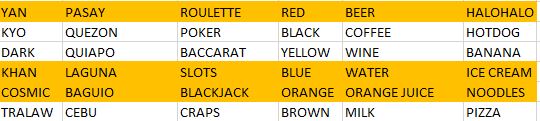
I won! @Avocado Amount won: 100 This message is posted automatically by our Lottery system if the player have at least 3 matches.
-
Thanks for this po
-
Thanks For The Game Maam @Cosmic
-
Thanks For Sharing Sir
-
Thanks For This Bro!
-
YEY HAHAHAHAHAH
-
MY GOODNESS HAHAHA

-
Thanks sa pa games sir @JiroDavidThanks For Sharing PoGoods sana to, kaso wala pa ako Valid ID ?Pasilip naman netoMas Maganda nga yun. Iwas tingi tingi sa withdrawal hahaaIpon muna 500 bago withdrawGGWP. SALAMAT SA PALARO ???