



.jpeg.5e8f24e71fd72de41209b6c90a5549ea.jpeg)
ALICEVONATARAXIA
Special Member
-
Joined
-
Last visited
Everything posted by ALICEVONATARAXIA
-
thankspa try haha24 akoeto na po yung proof na narecieve ko na yung load... pati utang ko noong isang taon nabayaran na!!! @Makaduda
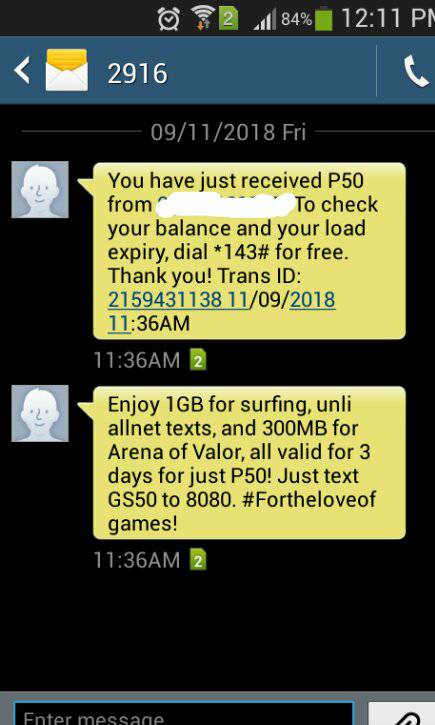
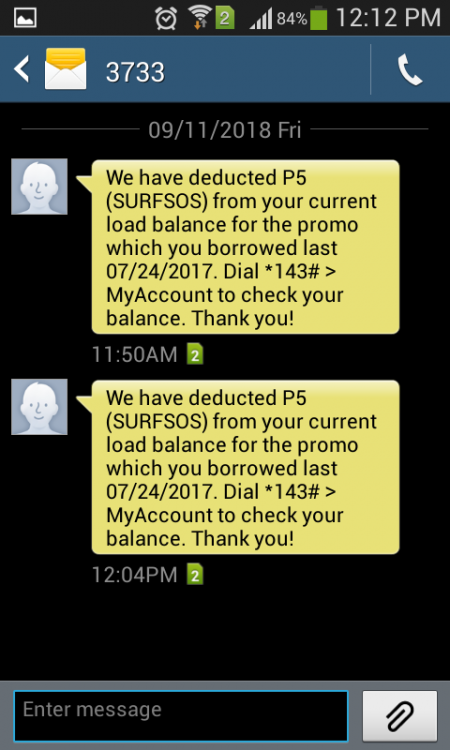 narecieve ko na boss.. maraming maraming salamat...feedback nalang po kung gumana o hindi..congrats to me hahahasulit na dito yan.. https://yts.am/anu ginagamit nyo pang DL ng movies? torrent o IDM?maghapon na ako nakatambay ditotry mo iformat gamit ang diskpart... madami din ako naisalba gamit toh... attach ko file.. andun tutorial.. sana makatulong format using diskpart.docx8http://www.mediafire.com/file/axrl6ofij6slbiz/DFE+v8x.rar try mo yan sir... explore mo nalang kung paano gamitin.. standard na 7.10 lang kase ginagamit ko dito sa shop..@Hero wala paba sir pa puzzle jan para sa netflix account? hehehe kahit mahaba basta kakayanin..nadedetect ba sir sa disk management?oo sir kaya nakuha ko sina salamat... november 6 mag eexpired na sya.. BTW maraming salamat po dun sa account..Newbie lang po ako. ano po kaya magandang topic.. nasa computer shop po ako. Technician na dito po kagalingan kase self study lang.. suggest ka naman po if okay lang o bigyan mo ako ng tip hehehehe thank you sir.. yung nakuha ko kase na netflix account ai yung may puzzle ka sa Excel tapos kung saan saan na link napupunta..boss @Hero kelan ka po ulit magbibigay ng netflix account pag na expired na yung sa November 6? TIA po..
.thumb.jpeg.0085d1627b4790a8e70516f38c800f70.jpeg)

Account
Navigation
Search
Configure browser push notifications
Chrome (Android)
- Tap the lock icon next to the address bar.
- Tap Permissions → Notifications.
- Adjust your preference.
Chrome (Desktop)
- Click the padlock icon in the address bar.
- Select Site settings.
- Find Notifications and adjust your preference.
Safari (iOS 16.4+)
- Ensure the site is installed via Add to Home Screen.
- Open Settings App → Notifications.
- Find your app name and adjust your preference.
Safari (macOS)
- Go to Safari → Preferences.
- Click the Websites tab.
- Select Notifications in the sidebar.
- Find this website and adjust your preference.
Edge (Android)
- Tap the lock icon next to the address bar.
- Tap Permissions.
- Find Notifications and adjust your preference.
Edge (Desktop)
- Click the padlock icon in the address bar.
- Click Permissions for this site.
- Find Notifications and adjust your preference.
Firefox (Android)
- Go to Settings → Site permissions.
- Tap Notifications.
- Find this site in the list and adjust your preference.
Firefox (Desktop)
- Open Firefox Settings.
- Search for Notifications.
- Find this site in the list and adjust your preference.