
Skip to content
View in the app

A better way to browse. Learn more.

BenLotus

A full-screen app on your home screen with push notifications, badges and more.

To install this app on iOS and iPadOS
  1. Tap the Share icon in Safari
  2. Scroll the menu and tap Add to Home Screen.
  3. Tap Add in the top-right corner.
To install this app on Android
  1. Tap the 3-dot menu (⋮) in the top-right corner of the browser.
  2. Tap Add to Home screen or Install app.
  3. Confirm by tapping Install.

Sanjii

LifetimeStreamer
  • Joined

  • Last visited

Everything posted by Sanjii

  1. Lakas mo prii congrats, pm number
  2. Kaya nga sir e, pinapaubos ko na rin words para maend agad ?
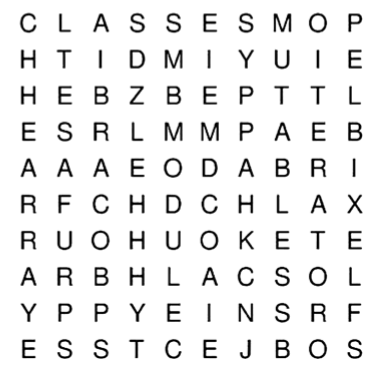
  3. Wrong po, Clue : 5 letters ang isang word
  4. Wrong po, konti nalang words dyan
  5. Wrong po, ubusin niyo words para makuha na haha
  6. Wrong po, pero pwede uli kayo sumagot ?
  7. Thank you for this, i already signed a petition
  8. Baka may palaman yan, be careful. Any way thank you for sharing
  9. Sanjii replied to Torio's topic in Forum Games
    It's a coffin or casket
  10. Ganon pala yon ma'am, malilimutin pa naman ako
  11. Di ko pala nasama sa type haha nice game ?
  12. May mga bagay sa nakaraan kusa mo nalang naaalala kasi nakasayanan mo na at hanggang ngayon di mo pa rin ito nalilimutan.


Account

Navigation

Search

Search

Configure browser push notifications

Chrome (Android)
  1. Tap the lock icon next to the address bar.
  2. Tap Permissions → Notifications.
  3. Adjust your preference.
Chrome (Desktop)
  1. Click the padlock icon in the address bar.
  2. Select Site settings.
  3. Find Notifications and adjust your preference.