Cosmic
Moderator
-
Joined
-
Last visited
Everything posted by Cosmic
-
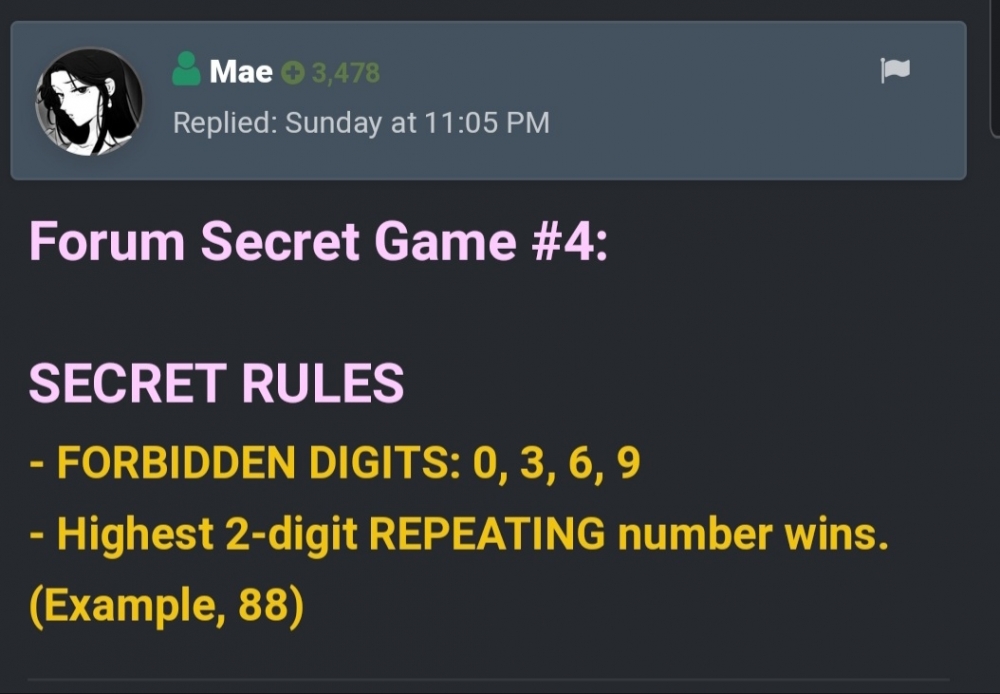
WINNER: @jesuisMoi Send me your number. SECRET RULES - FORBIDDEN DIGITS: 0, 3, 6, 9 - Highest 2-digit REPEATING number wins. (Example, 88) Join ulit sa next! Anyway post ko na entries sa singing competition ngayon, wait
-
Entries:
-
Forum Secret Game #4: SECRET RULES - FORBIDDEN DIGITS: 0, 3, 6, 9 - Highest 2-digit REPEATING number wins. (Example, 88)
-
Thanks @ChooxTv!
-
Hintay ko yung required entry mo dito.
-
Hindi yan. Wait ko entry mo
-
Wag na pag isipan! Hahaha. Joke.
-
Mas madami ata ngayon than the last time. Join ka!
-
Less than 4 hours before the deadline. Submit your entries if you haven't!
-
Haha. Malay mo manalo na this time ?
-
You're welcome. Let me know how it goes
-
Hintayin ko entry niya. Sadly wala. Haha. Para matindi ang laban.
-
2-26-29-40-47
-
Oo marami dito free vpn accounts. ? Vypr, nord, express, hma. Search ka lang sa freestuff.
-
Ay talaga? Working si Nord for Netflix eh. Baka sa tv ayaw. You could try other VPN then.
-
Ayan, clear na po na walang ads ang final version. ?
-
Everyone can vote. Ang winner ay decided by votes. Nagvote ka na? Hehe. Join ka next time ha ?
-
Ay sayang. May entries na. Voting na ongoing ngayon.
-
As the members say, eklog today. Kasi walang taya. Hahahah.
-
Check niyo guys if nabanggit na ng iba yung numbers before choosing your entry!
-
Hello! It's posted here in the subsection of Forum Games section so that only established members can vote in the poll.Nakakatuwa naman eto! Looks like nabili na din ang vote ko ni Entry 5!SUPER CUTE LEECHER! Inspired by alak ata.
 Inedit ko yung Entry 5. Wrong version daw po.