




JiroDavid
Moderator
-
Joined
-
Last visited
Everything posted by JiroDavid
-
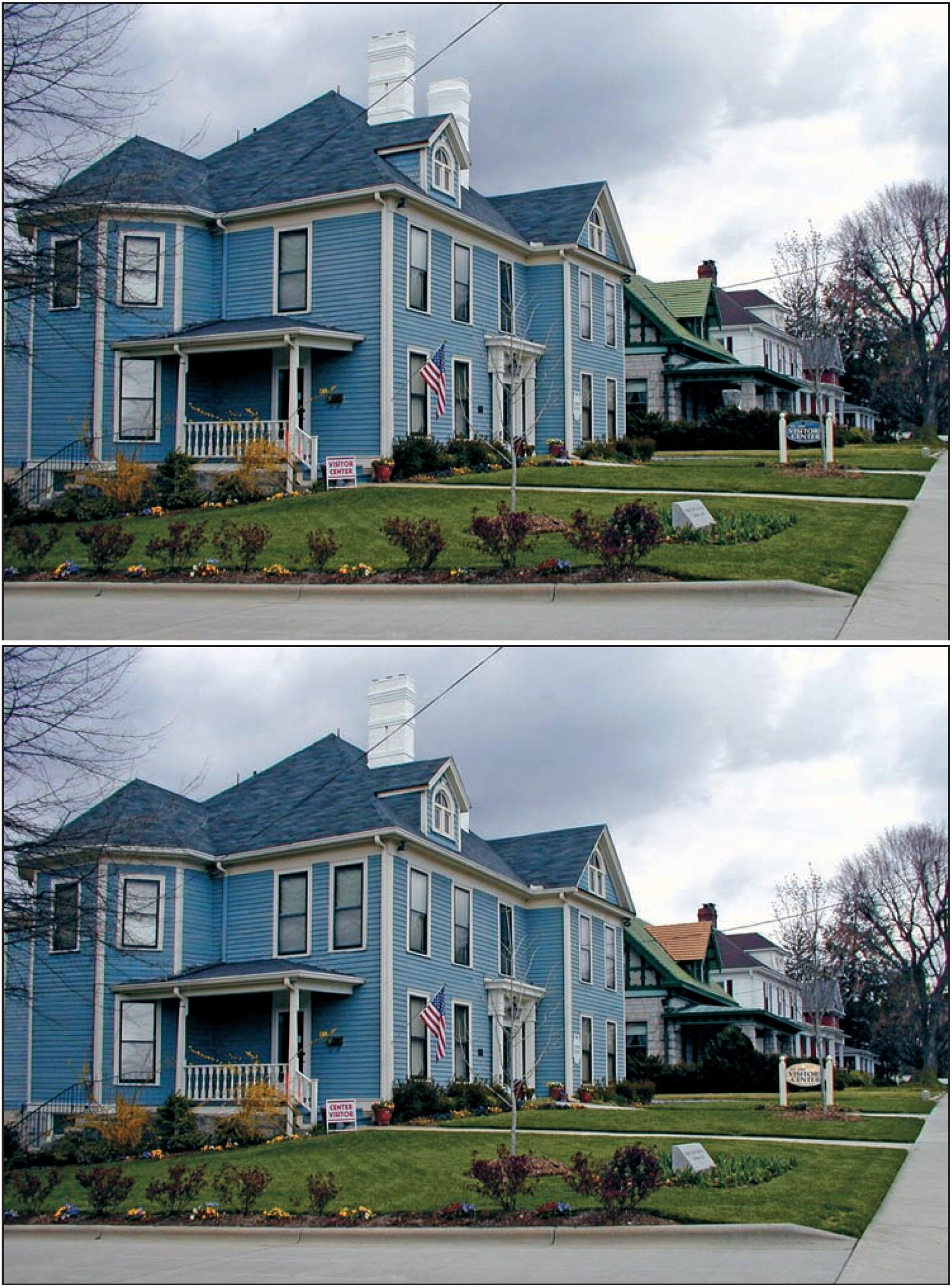
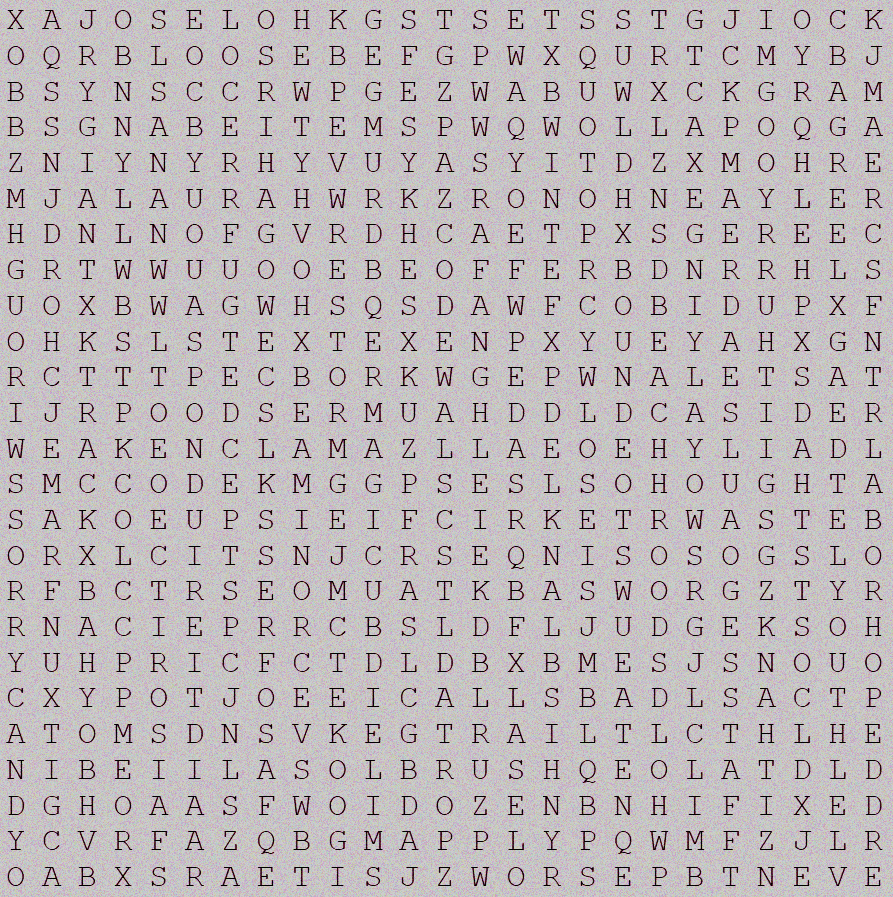
okay I am sending you the two months of scribd via PM now.It is wrong. Try again,Here is the next photo! Same rules apply. If you got it, you'll get to choose the premium you like on the list I provided:Wow I didn't thought anyone can solve this fast. I was expecting to give more clues. You won! Choose One: Two months of Scribd One month of Spotify A combo package of one month each of Paramount Plus and Showtime One month of Tidal Music One month of Hulu One month of Mubi Fourteen days of Crunchyroll One Month of Amazon PrimeYou're welcome More to come can also join if you like some of the freebie we got.Correct, will add you to the group after it's all done. Not correct. Someone already answered Spotify. Correct, I will add you to the group.I will post more game soon for crunchyroll!you got it right! Congratulation! I am sending you the crunchyroll account now.at the moment it is not yet available. But I will figure out something. You can try watch at our movie box.@kikry You need to follow instruction first. Thank you. You almost got it.@Heinzhummer That is incorrect. Clue, this movie is before 1990 - An old movie.This image still hasn't solved yet.The rule is two answers. So you re-try again. You are correct. Will add you to the group once the game is finished. Re-try again as number 5 is already answered.Yes this is correct. You are the first winner. I will send you an invite link, give me your email in private.try again, make sure it fits in the box.Just reminder that this one is not answered yetYes I sent your skillshare subscription to your inbox.Done Check PM.@Heinzhummer That is not correct.Here is new photo: Please respond with the full title of the movie, the year, and the entire image. You can download the image from BenLotus by selecting "Copy link to image" from the context menu, or you can just save it to your device and post it here.




Account
Navigation
Search
Configure browser push notifications
Chrome (Android)
- Tap the lock icon next to the address bar.
- Tap Permissions → Notifications.
- Adjust your preference.
Chrome (Desktop)
- Click the padlock icon in the address bar.
- Select Site settings.
- Find Notifications and adjust your preference.
Safari (iOS 16.4+)
- Ensure the site is installed via Add to Home Screen.
- Open Settings App → Notifications.
- Find your app name and adjust your preference.
Safari (macOS)
- Go to Safari → Preferences.
- Click the Websites tab.
- Select Notifications in the sidebar.
- Find this website and adjust your preference.
Edge (Android)
- Tap the lock icon next to the address bar.
- Tap Permissions.
- Find Notifications and adjust your preference.
Edge (Desktop)
- Click the padlock icon in the address bar.
- Click Permissions for this site.
- Find Notifications and adjust your preference.
Firefox (Android)
- Go to Settings → Site permissions.
- Tap Notifications.
- Find this site in the list and adjust your preference.
Firefox (Desktop)
- Open Firefox Settings.
- Search for Notifications.
- Find this site in the list and adjust your preference.