



Maximus
Administrator
-
Joined
-
Last visited
Everything posted by Maximus
-
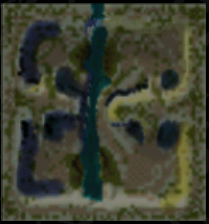 Valley of Death - 8 Players. This is a map for the game Battle Realms.
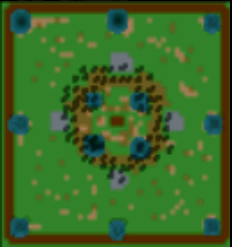 Map from the game Battle Realms. If you don't play the game Battle Realms, this file is not for you. To play Battle Realms, you can buy it at GOGThat's the informative (internet tricks) topics.Thank you po. Para alam ng Jiro kung ano ang dapat niyang ipostPlease make the deal here at BenLotus, and not via email. Anyone interested to help you will PM you.Welcome! Stay active, contribute and earn some freebies!Hello Sobra na po ang 70k kung Sketchup lang ang gagamitin mo. Ganito ang kailangan mo, pumunta ako sa System requirement ng Sketchup, ito ang nakikita ko. Napaka kunti, pero dahil 70k buget mo, gawa tayo napakaganda na PC na mura pa, na kayang takbuhan lahat ng program. Let's say meron kang $1400 USD, Mag bibigay ako ng recommendation para sa CPU at VIDEO Card, at RAM dahil itong tatlo ay yung factor kung mabilis o mabagal ang PC mo. pumunta ako sa link na ito para makita ko ang best na CPU na mabilis pero mura pag dating sa pera $. CPU: https://www.cpubenchmark.net/high_end_cpus.html CPU https://www.videocardbenchmark.net/high_end_gpus.html Ang pinili ko ay yung AMD Ryzen 7 3700X para sa CPU mo. Ang cost nito ay $300. Video Card Ang pinili ko sa Video card mo ay yung Radeon RX 5700. Mabilis ito, meron 8GB, pero mura pera. Ang price nito ay $310 ngayon mga $600+ pa lang ang budget na nagamit natin, nakakuha ka na ng dalawang hardware na napakabilis at kayang takbuhin lahat ng software at games ngayon. RAM Recommendation: Kuha ka at least 16GB. Para sa Power Supply at Motherboard, hindi mo kailangan ng fancy, kahit ano basta mura at compatible. Para sa hardrive, gawin mo SSD na may at least 1TB Sigurado ako hindi lalampas ng 55k PHP ang PC na ito.Hello, what name you want to change to. Let me know.Please disable it for now. Thanks for your report. We will look it into it.Wow ang cute naman ng graphics.Yung iba sumasali pero hindi naman nag show up... Grabe...Nako tulog na po yung bata na si Jiro, baka buka na po siya mag send.Updating can cause it to run slower because the new updates are mean to run on a better specs.Topic Review Completed. Changes: **Removed a link to Facebook instant chat. **Fixed a phrase saying that it is important to put a referral code. It is optional to enter referral code for extra points.Puro Xiaomi at Oppo Grabe...






Account
Navigation
Search
Configure browser push notifications
Chrome (Android)
- Tap the lock icon next to the address bar.
- Tap Permissions → Notifications.
- Adjust your preference.
Chrome (Desktop)
- Click the padlock icon in the address bar.
- Select Site settings.
- Find Notifications and adjust your preference.
Safari (iOS 16.4+)
- Ensure the site is installed via Add to Home Screen.
- Open Settings App → Notifications.
- Find your app name and adjust your preference.
Safari (macOS)
- Go to Safari → Preferences.
- Click the Websites tab.
- Select Notifications in the sidebar.
- Find this website and adjust your preference.
Edge (Android)
- Tap the lock icon next to the address bar.
- Tap Permissions.
- Find Notifications and adjust your preference.
Edge (Desktop)
- Click the padlock icon in the address bar.
- Click Permissions for this site.
- Find Notifications and adjust your preference.
Firefox (Android)
- Go to Settings → Site permissions.
- Tap Notifications.
- Find this site in the list and adjust your preference.
Firefox (Desktop)
- Open Firefox Settings.
- Search for Notifications.
- Find this site in the list and adjust your preference.