

lem19
BenLotus Member
-
Joined
-
Last visited
Everything posted by lem19
-
thank youuuu so much
-
Hindi, dinownload ko talaga ng 2 days kaya nasa files ko na, pero d ko pa nabuburn since need ng DVD+R DL na cd since nasa 5+GB siya, kaso dito di ko alam magupload dito tsaka di ko pa natry, pero kung maupload ko man dito, siguro may mauuna nang upload sakin
-
May nagupload na po sa ibang forum site searg mo lang po yung keyword na Platinum Volume 18 iso
-
hwaiting sa volume 18 hahahaha
-
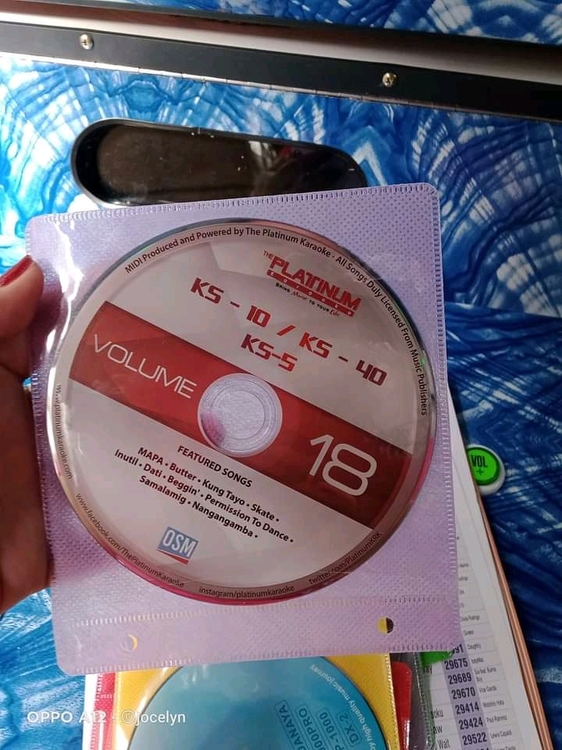
Waiting sa Volume 18 ?✨✨✨ Ps: nakita ko lang to may binibenta na.
-
thank you for sharing
-
thank you for sharing po
-
Boss eto yung solution diyan, idelete mo yung mtv folder (Faithfully ni The Journey kasi yung mtv na yan lol) tsaka yung sa MIDI folder na .plf files magdelete ka diyan ng kahit dalawa or tatlo basta hindi lang siya lagpas sa capacity ng dvd disc mo, ang .plf file bgv ng platinum yan, pwede ka din magcustomize ng bgv diyan kung gusto mo pero safe pong idelete yan basta wag lang lahatin. Yan kasi ginawa ko sa 4.37GB DVD+RW na nabili ko nagcustomize lang ako ng bgv na kasya sa disc ko, working naman.
-
I tried it with PowerISO and DVD+RW, it works... then nagcostumize lang ako ng sarili kong bgv para maganda
-
Thank you ?❤️❤️❤️❤️