
DasparinganEither
Special Member
-
Joined
Everything posted by DasparinganEither
-
Pasilip po, thank you sana gumagana pa
-
Fatingin po
-
Congrats lods, grabi solo player 3500 all by himself grabi?
-
Playing safe ka chaw? sene all leading scorer
-
@Cosmicano po perfect score sa game nato?
-
@chawdogleading ka parin, kahit d kana magsubmit nang song ?
-
Umay Team I ulilat tayo?
-
Chawdog solo player? Chawdog lang malakasssssss
-
Team I Cosmic- 2 taym3-2 Bomb-2
-
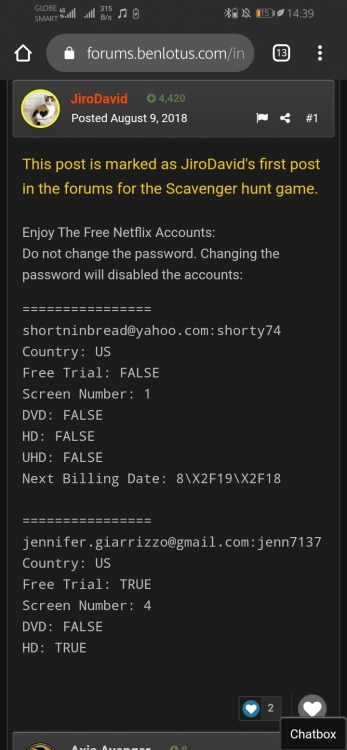
@JiroDavid di po ba ito first status mo at si maam @Thea isa sa dalawang nag react?
-
@Thea
-
Benlotus App plan released = June 23 Benlotus App released on playstore= July 10 23+10= 33x2 = 66 netflix accts JinroDavid can create in 6hrs. 66x20 times theres 6 hrs in 5days = 1320 Di po ba? Question no. 3 po ako assigned
-
Release date jul 10 App plan june 23 =33, then doubled is equals to 66
-
@Cosmic last question madam, ilang names po ba lalabas every round pagkatapos nyo ma drawn?
-
Thanks sa respond maam
-
Questions: Yung list of names sa taas na po ba gagamitin na choices para bukas? Yung lalabas na pangalan each round po ba ay pre-selected or i d-drawn every after all the team ay naka bet na nang names?
-
@ZoraIdeale @Gecarls @PhantomRhythm @Johndoe20 Lets go Team I
-
TEAM I 1. @ZoraIdeale 2. @Gecarls 3. @DasparinganEither 4. @PhantomRhythm 5. @Johndoe20 Lets go guys
-
-
I nalang po
-
Team F nalang po kung pwede
-
Pasali po sa vacant na team po?
-
-
Thanks sa pag share, naks may tutorial na talaga?
-