


.jpeg.1253a65d63fc80bfae8e77f51cb5277f.jpeg)

Tzuyu
Forum Legend
-
Joined
-
Last visited
Everything posted by Tzuyu
-
-
-
-
-
Sipag mo po sobra boss. Maraming salamat po
-
koyawell penge po 10 tawsan HAHAHA welcome po sa forum!
-
Sayang pi HAHAHA bawi na lang po ulit bukas, bigyan kita tres haha
-
The game is already done
-
balato po atee HAHAHA newbie lang po jk
-
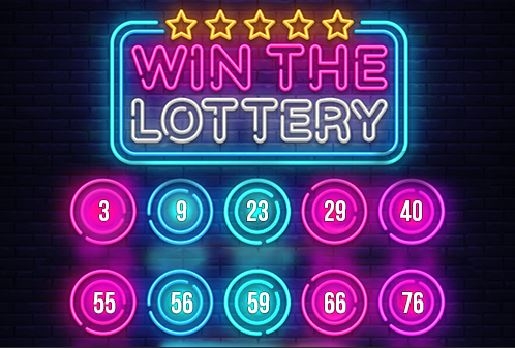
WINNING NUMBERS FOR AUGUST 21ST You must send the following information before 7PM Philippines time if you won: Gcash Number and provider (SMART,GLOBE,SUN) Your complete 5 entry
-
You should have at least 50 contents to join po. Pataas ka po muna, onti na lang kulang haha
-
Sorry, you are not yet eligible from joining po. This game is for members with at least 50 content counts po. For tips on how to increase your content count, go to this link: https://forums.benlotus.com/index.php?/topic/6324-how-to-increase-your-benlotus-content/&tab=comments#comment-84631
-
thank you po kuyaaa! Edited na po ☺️
-
Ey you're back! Thanks for sharing bh13
-
Sorry, you are not yet eligible from joining po. This game is for members with at least 50 content counts po.
-
tried and tested, di umepek yung ganyan HAAHHAAH
-
welcome bh13 pabalato na lang pag nanalo HAHA
-
angas ng trick na to boss ah, thanks for sharing poWelcome po sa forum! Sunod lang po lagi sa rules and enjoy!Penge pong netflakes, newbie here. Pamilyar po ito ah HAHAHAYou're all welcome po ♥️you're welcome po mga lods, working pa rin po yan hehe salamt sa suportaANOTHER DAY, ANOTHER BOKYA HAHAHAsayang lods haha sure, you're welcome




