
Skip to content
View in the app

A better way to browse. Learn more.

BenLotus

A full-screen app on your home screen with push notifications, badges and more.

To install this app on iOS and iPadOS
  1. Tap the Share icon in Safari
  2. Scroll the menu and tap Add to Home Screen.
  3. Tap Add in the top-right corner.
To install this app on Android
  1. Tap the 3-dot menu (⋮) in the top-right corner of the browser.
  2. Tap Add to Home screen or Install app.
  3. Confirm by tapping Install.

danielXxX

Special Member
  • Joined

  • Last visited

Everything posted by danielXxX

  1. 1 and 9 1 x 9 = 9 1 + 9 =10
  2. Mine solo hahaha
  3. Salamat dto ka parokss
  4. Wow Maraming Salamat po
  5. Thanks for sharing
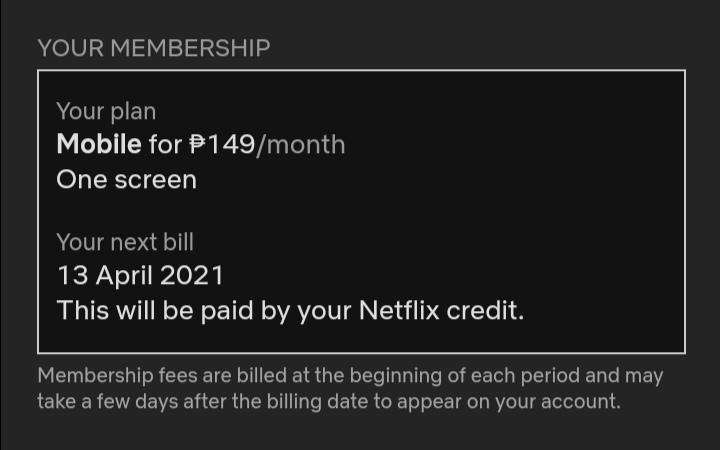
  6. Dapat kasi nakalagay sa "Your Plan is Mobile plan" not premium tama ba? Paki correct if mali ako
  7. Baka nagkamali kayo ng pindot sa plan imbis na mobile plan premium na proceed mo.
  8. Thanks idol ? Opo sir heheh marami ka matutunan jan? Always welcome po
  9. Thanks for sharing lodz
  10. Salamats ng marami lodz
  11. Ma snipe nga. Angas din ng tunogkalye
  12. Keep sharing po godbless
  13. Thanks for sharing lodz. Pasilip ?

Account

Navigation

Search

Search

Configure browser push notifications

Chrome (Android)
  1. Tap the lock icon next to the address bar.
  2. Tap Permissions → Notifications.
  3. Adjust your preference.
Chrome (Desktop)
  1. Click the padlock icon in the address bar.
  2. Select Site settings.
  3. Find Notifications and adjust your preference.