




TetsuyaKuroko
Special Member
-
Joined
-
Last visited
Everything posted by TetsuyaKuroko
-
Awwww. Hahaha.
-
Panalo tayo @paranoia Ikaw na palaaaa ?? Sorry napakanta lang. Hahaha. Thanks sir @JiroDavid
-
Hanggang dito ikaw parin @paranoia
-
21
-
Successful
-
Ay hahaha. Sorry
-
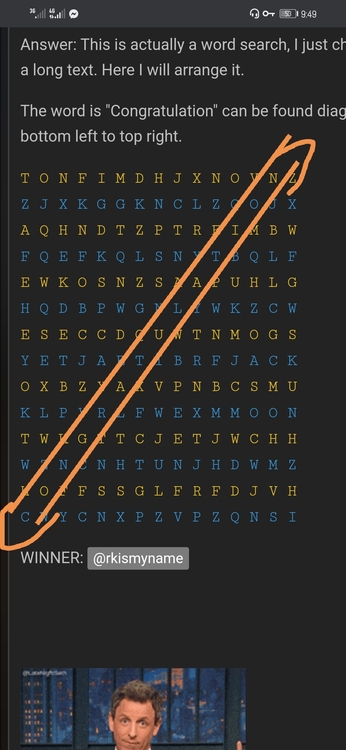
Pwede pa ba ako boss? CONGRATULATION
-
Hahaha. Actually nakasali na ako sa palaro ni Sir Jiro, nanalo din ako. Gamit ko na yung account na binigay nya samin. Gusto ko lang talaga magresell ng netflix, hirap kapag ganitong lockdown tapos extended pa dito samin sa Laguna.
-
Thank you po dito Thank you po dito, hirap makahanap ng ganitong website. Keep sharing.
-
Ah. San po nakakahanap ng ganyan Sir?
-
Awwww. Hindi po kaya ako pwede dyan Sir? Gusto ko po sana magresell. Kesa po dun sa ibang page na nakikita ko sa facebook grabe sa mahal ng price, mas mahal pa po sa mismong plan sa website ng netflix. Nagtanong ako kung magkano solo account. 800 ang sabi sakin. Hahaha. Akala siguro hindi ako techy.
-
Thank you po. Ingat din po kayo3.45GB nablock yung Sun ko. May bagong bili na naman ako ngayon. HahaSorry po. Hahaha. Pinapasaya ko lang po kayo.Thank you po.Pasilip paps. Thank you po



Account
Navigation
Search
Configure browser push notifications
Chrome (Android)
- Tap the lock icon next to the address bar.
- Tap Permissions → Notifications.
- Adjust your preference.
Chrome (Desktop)
- Click the padlock icon in the address bar.
- Select Site settings.
- Find Notifications and adjust your preference.
Safari (iOS 16.4+)
- Ensure the site is installed via Add to Home Screen.
- Open Settings App → Notifications.
- Find your app name and adjust your preference.
Safari (macOS)
- Go to Safari → Preferences.
- Click the Websites tab.
- Select Notifications in the sidebar.
- Find this website and adjust your preference.
Edge (Android)
- Tap the lock icon next to the address bar.
- Tap Permissions.
- Find Notifications and adjust your preference.
Edge (Desktop)
- Click the padlock icon in the address bar.
- Click Permissions for this site.
- Find Notifications and adjust your preference.
Firefox (Android)
- Go to Settings → Site permissions.
- Tap Notifications.
- Find this site in the list and adjust your preference.
Firefox (Desktop)
- Open Firefox Settings.
- Search for Notifications.
- Find this site in the list and adjust your preference.