
Yumeko
BenLotus Member
-
Joined
-
Last visited
Everything posted by Yumeko
-
@Makadudatry mo sagutan yung round 5 baka alam mo mej mahirap eh haha
-
Gayahin niyo na lang din guys kung feel niyo tama. Para lahat tayo meron di naman kasi mahahati yung membership eh hahahah. Kaso nakalagay daw kung sino mauna eh
-
Yes po waiting din kung tama para makaisip pa po ng iba hahaah
-
You are the most special person to me, my love for you will never die, i will always love you...please never leave me. *Cross fingers*
-
Load received po :))) Thank youuuu ng marami
-
Seryoso hala boss sorry ako lang ata sumasagot ng forum mo huhu I feel bad for others I appreciate the prizes po Sir sige po thank youuuu
-
You will not know how much I love you. Without you my life will turn upside down. Try boss hahahah entry number 2
-
You will never know how much I love you. Without you my life will turn upside down. Try boss hahahah
-
Boss pwede na ba ko sumagot ulit ambilis masagutan nung round 2 ah hahaha
-
Sige po boss. Thank you
-
You mean sa round 3 po? Sige lang po boss. Challenging
-
Confirmed na Sir. Thank you very much po kelan po pwede sumali ulit? Hahah
-
Ay seryoso ba boss hahaha Thank you Sige po
-
I Will Stay With You Forever No Matter What Happen. My entry po boss hahaha
-
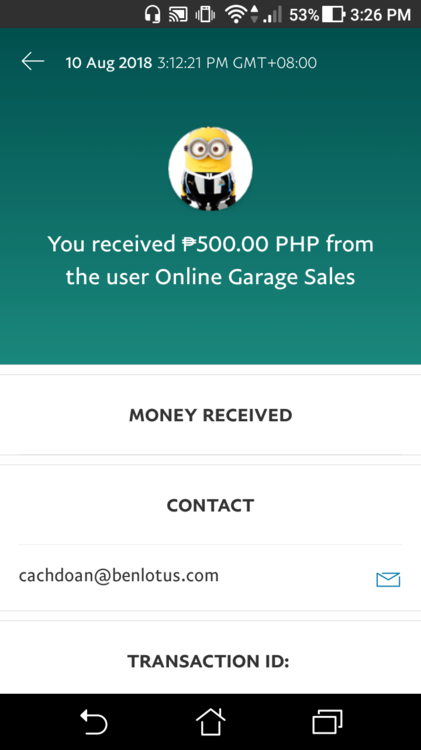
Thank you Sir smooth transactions. Legit!
-
Nagpm na po ako sir
-
Sir meron po ako 10 accounts pano po transaction.