


.thumb.jpg.c7d512711137e1ba0f4ad8b953cc241a.jpg)
-
Core Mikoshi
- 99 Listened
- 0 Comments
-
Battleground Arasaka
- 104 Listened
- 0 Comments
-
- 136 Listened
- 0 Comments
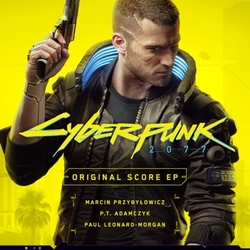
Paul Leonard-Morgan’s unique cinematic style of fusing orchestra with electronica has put him in high demand as a film composer, a producer and arranger for bands, and has led him to win a BAFTA award, and receive Emmy & Ivor Novello nominations
Prior to working in film, Leonard-Morgan produced and arranged for acts including Belle and Sebastian, Snow Patrol, Mogwai, and No Doubt. However, it was his groundbreaking score for Relativity’s Limitless, a paranoia-fueled action thriller starring Bradley Cooper and Robert De Niro, that solidified him as a major player in the film music industry and was later nominated for the prestigious World Soundtrack “Discovery of the Year” Award in Ghent. His first Emmy nomination came in 2016 for the CBS TV spinoff of Limitless, helmed by Marc Webb (Spiderman, 500 Days of Summer).
Dredd, which topped the U.K. box office in its first week of its 2012 release, is widely recognized as launching a new generation of hybrid scores, causing Variety to note the impact of “the throbbing sounds of Paul Leonard-Morgan’s bass heavy score”.
In 2015, he completed a commission from the National Theatre to score new adaptations of James I (which premiered at the Edinburgh International Festival, before taking residence for a sold-out run at the Olivier Theater in London) and James II (composed alongside the music of Scottish electro duo Boards of Canada).