Skip to content
View in the app

A better way to browse. Learn more.

BenLotus

A full-screen app on your home screen with push notifications, badges and more.

To install this app on iOS and iPadOS
  1. Tap the Share icon in Safari
  2. Scroll the menu and tap Add to Home Screen.
  3. Tap Add in the top-right corner.
To install this app on Android
  1. Tap the 3-dot menu (⋮) in the top-right corner of the browser.
  2. Tap Add to Home screen or Install app.
  3. Confirm by tapping Install.
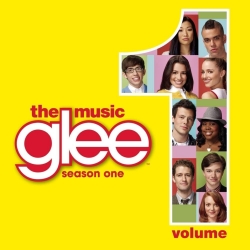
Glee Cast
Glee Cast
  1. Keep Holding On
    Glee Cast ·
    • 7 Listened
    • 0 Comments
  2. Gold Digger
    Glee Cast ·
    • 10 Listened
    • 0 Comments
  3. Maybe This Time
    Glee Cast ·
    • 3 Listened
    • 0 Comments
  4. Alone
    Glee Cast ·
    • 2 Listened
    • 0 Comments
  5. Taking Chances
    Glee Cast ·
    • 7 Listened
    • 0 Comments
  6. Don’t Stop Believin’
    • 21 Listened
    • 0 Comments
  7. Somebody To Love
    Glee Cast ·
    • 1 Listened
    • 0 Comments
  8. Bust Your Windows
    Glee Cast ·
    • 9 Listened
    • 0 Comments
  9. Hate On Me
    Glee Cast ·
    • 0 Listened
    • 0 Comments
  10. Can’t Fight This Feeling
    • 13 Listened
    • 2 Comments
  11. No Air
    Glee Cast ·
    • 9 Listened
    • 0 Comments
  12. Take a Bow
    Glee Cast ·
    • 3 Listened
    • 0 Comments
  13. You Keep Me Hangin’ On
    • 5 Listened
    • 0 Comments
Glee was a musical comedy show running on Fox from 2009-2015. The cast of Glee performed many covers and managed 207 Hot 100 hits, more than any other artist in the history of the Hot 100. The cast scored 31 Billboard 200 album chart entries, 14 of which hit the top 10, including three No. 1s. Its to-date album sales stand at 8 million, according to Nielsen Music. They grossed $45.9 million over 53 tour dates, all in 2010-11.

Account

Navigation

Search

Search

Configure browser push notifications

Chrome (Android)
  1. Tap the lock icon next to the address bar.
  2. Tap Permissions → Notifications.
  3. Adjust your preference.
Chrome (Desktop)
  1. Click the padlock icon in the address bar.
  2. Select Site settings.
  3. Find Notifications and adjust your preference.